


.png)
Most small businesses think enterprise-grade automation is out of reach. They see large companies running AI across sales, support, and operations and assume it requires a dedicated engineering team, a six-figure tech budget, and months of implementation. According to McKinsey's 2025 State of AI research, 78% of organizations are now regularly using AI in at least one business function — and that number is only climbing in 2026.
But the real problem isn't access to AI. It's knowing which tools to pick. Most small business owners spend weeks in demo calls, comparing pricing pages and feature lists, only to end up with a clunky, stitched-together system where nothing quite talks to each other. That's a waste of time and money.
The no-code AI agent stack every small business needs already exists — and you can build it without writing a single line of code. In this guide, you'll learn exactly which AI agents for small businesses deliver the most impact, what each one does, and how they work together as a system.
This guide walks you through exactly which agents to build, in what order, and what each one replaces.
Key Takeaways
- A complete AI agent stack covers three layers: sales and growth, customer-facing agents, and internal operations.
- Each agent owns one job — so your team can focus on the work that actually moves deals forward.
- You don't need a developer. No-code platforms let non-technical teams build, connect, and launch agents from a visual interface.
- The most effective stacks combine structured flows with AI flexibility — so you stay in control on the decisions that matter while the agents handle the repetition.
- The tools in this stack work together. Landbot, Clay, and n8n each play a distinct role — and the real leverage comes when they're connected.
What an AI Agent Stack Actually Is
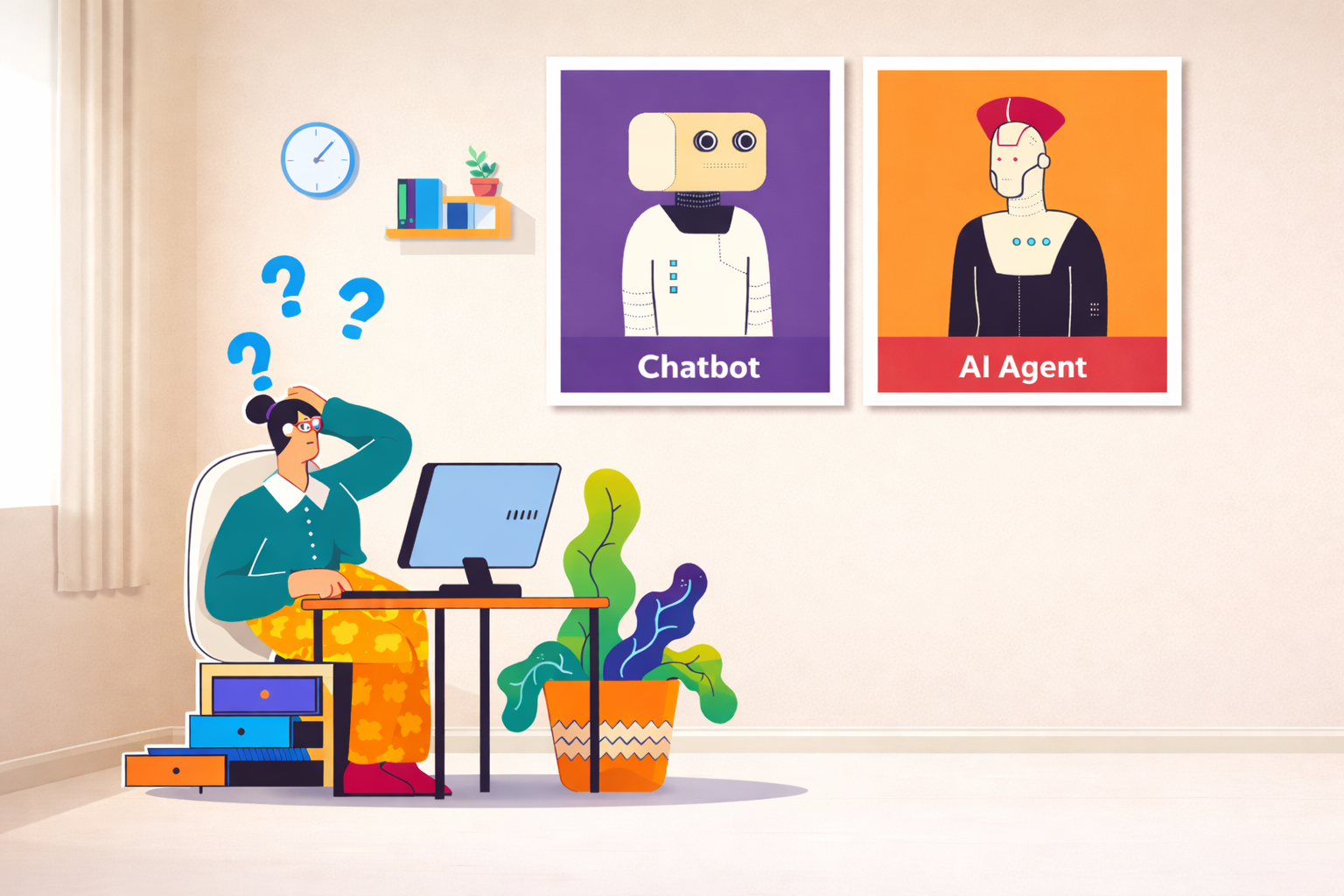
An AI agent is a system that can understand a goal, take a series of actions to achieve it, and adapt based on what it learns along the way. Unlike a simple chatbot that follows a script, an AI agent reasons through context and decides what to do next.
An AI agent stack is what happens when you connect multiple agents together — each one specialized for a specific job — and let them work in sequence or in parallel across your business.
It's like building a team. You wouldn't hire one person to handle sales, support, onboarding, and operations. You build a team where each person owns a function. Your AI agent stack works the same way — except it runs 24/7, never burns out, and scales without adding headcount.
Layer 1: Sales and Growth Agents
Sales and growth agents are proactive — they don't wait for customers to come to you. They actively create revenue opportunities, and for most small businesses this is where the biggest bottleneck lives. Two agent types belong in this layer.
Autonomous SDR Agents
Outbound sales is still a massive grind. You have to find the right leads, enrich their data, personalise outreach, and follow up consistently — and somehow do this at scale. For most small teams, this either means hiring expensive SDRs or simply not doing outbound properly at all.
Autonomous SDR agents change that equation entirely. Instead of telling them how to do something, you give them a goal — for example, "find 100 marketing VPs at SaaS companies and book qualified meetings with them." From there, the agent handles the entire workflow: prospecting leads, enriching profiles, writing personalised outreach, sending emails or LinkedIn messages, and following up until there's a response.
Tools like Chase AI are good examples of what's now possible. The value is simple: it's like hiring an entire SDR team without the salaries, onboarding, or burnout.
- What it replaces: Manual prospecting, generic email blasts, inconsistent follow-up.
- What it delivers: A continuous pipeline of qualified outreach running in the background, 24/7.
Market and Competitor Research Agents
Manually tracking competitors, industry news, product launches, and pricing changes is basically impossible while running a business. Everyone knows they should do it. Almost no one does it consistently.
A market research agent solves this with a simple monitoring mission. You define what to watch — your top five competitors, specific review sites, key industry keywords — and the agent scans continuously and delivers a clear brief on whatever schedule you set: daily, weekly, or on demand.
You can build this using platforms like Relevance AI for multi-agent research workflows, or use Perplexity AI's built-in research tools for lighter monitoring tasks.
- What it replaces: Ad-hoc competitor checks, missed industry news, manual research sprints.
- What it delivers: A consistent competitive intelligence feed without adding it to anyone's to-do list.
Layer 2: Customer-Facing Agents
Customer-facing agents are the face of your business online. They're often the first interaction someone has with your brand — and how they behave directly impacts conversion, trust, and retention. Two agent types belong in this layer.
Lead Capture and Qualification Agents
The traditional way most businesses collect leads is still a static form: name, email, company, submit. The problem is forms are impersonal and one-size-fits-all. People bounce because they don't feel engaged, they don't know what happens next, and they have no reason to trust a blank box with their contact information.
A conversational lead capture agent replaces that experience with a real conversation. It greets the visitor with a defined tone and personality, asks questions one at a time, adapts based on the answers, and qualifies the lead in real time — routing them to the right sales rep, booking a meeting automatically, or sending them into a specific nurture path based on their fit.
Platforms like Landbot are built specifically for this: the entire experience — lead capture, qualification, scheduling, and CRM integration — lives in one no-code visual flow. Businesses consistently see a significant lift in conversion rates because people prefer conversations over forms.
- What it replaces: Static contact forms, manual qualification calls, slow follow-up cycles.
- What it delivers: A pipeline of pre-qualified leads, routed and ready for the next step — without human involvement in the initial triage.
24/7 Customer Support Agents
Customer support is where most small businesses lose ground at scale. Every new customer means more questions, more tickets, more time your team isn't spending on growth. And most small businesses don't have the capacity for round-the-clock support.
A customer support agent resolves the most common questions instantly — pricing, integrations, troubleshooting steps, account FAQs — without involving a human. The agent connects directly to your existing knowledge base: help center articles, internal documentation, product FAQs, even PDFs or Notion docs.
The design principle that makes this work is the escalation path. The agent needs to know exactly when it's out of its depth and hand off to a human with full context intact — not a dead end or a generic "I don't understand" message. Getting that handoff right is one of the most important decisions when building your support stack.
Strong options here include Fin AI by Intercom, which is purpose-built for support resolution, and Zendesk AI if you're already on the Zendesk platform. For teams that want to build custom support flows, Landbot works well for more conversational, guided support experiences.
- What it replaces: First-response manual triage, FAQ pages no one reads, delayed ticket resolution.
- What it delivers: Instant answers for 60–80% of common questions, with smooth handoffs for everything else.
Layer 3: Internal Operations and Productivity Agents
Internal operations agents work quietly in the background — and they often create the biggest efficiency gains. They reduce repetitive tasks and free up your team to focus on actual decision-making. Two agent types belong in this layer.
Executive Assistant Agents
Even with modern tools, you still get buried in email, scheduling, calendar coordination, and follow-ups. Most software products now have some built-in AI — but that AI usually lives inside a single tool. It can help you write an email in Gmail or schedule a meeting in your calendar. What it can't do well is work across different tools simultaneously.
That's where dedicated executive assistant agents come in. Lindy AI is a strong example: instead of being embedded inside one product, Lindy operates as a layer above your tools. It connects to email, calendars, contacts, CRM, and other work apps and functions like a real assistant you can talk to in natural language.
You give it instructions like "find time next week that works for everyone in this email thread" or "summarise what I missed today and flag anything urgent" — and Lindy handles the logic behind the scenes, checking calendars, coordinating scheduling across people, drafting responses in context, and keeping things moving without manual back-and-forth.
- What it replaces: Manual scheduling coordination, repetitive email drafting, context-switching between apps.
- What it delivers: One assistant that understands the full picture across all your tools, instead of five isolated AI features.
HR and Onboarding Agents
As soon as you have a team, the same questions get asked over and over: where do I find this policy, how do benefits work, how do I request access to this tool? None of these questions are unreasonable — but answering them manually doesn't scale. It pulls HR and operations teams away from strategic work.
A dedicated internal HR agent solves this by training on your own documentation: employee handbooks, policy docs, onboarding checklists, internal FAQs. Employees can then ask natural questions directly in Slack or inside an internal portal and get accurate, consistent answers instantly.
You can build one using Landbot for a structured conversational interface, or a Slack bot powered by Relevance AI if you want more flexible agent behaviour. When a question is sensitive or complex, the agent routes it to a human with full context already attached.
- What it replaces: Repeated HR questions, slow onboarding, manual policy look-ups.
- What it delivers: Faster onboarding, fewer interruptions, and a smoother employee experience from day one.
How the Stack Works Together
Individual AI agents are powerful. But their real leverage comes when you make them work together as a system — and that's where three specific platforms play complementary roles.
Landbot — The Conversational Layer
Landbot is best understood as a conversational agent builder. It's designed specifically for building customer-facing agents — lead capture and qualification flows, support experiences, interactive onboarding — through a no-code visual interface. Instead of hardcoding logic or relying on static scripts, you design the conversation with branching logic, AI-powered understanding, and integrations with CRM, calendars, and support tools. It's the layer where customers and leads actually interact with your business.
Clay — The Data Enrichment Layer
Clay plays a very different role. It's a data-first platform that excels at finding leads, enriching records, and pulling data from hundreds of sources. Clay answers questions like: who should we be selling to, what company is this lead from, what tech stack do they use, what's the best contact information? Instead of manually researching or relying on incomplete CRM records, Clay continuously enriches your data — making it the perfect upstream agent for sales and growth workflows.
n8n — The Orchestration Layer
n8n is the glue that connects everything together. It's a workflow automation platform — but at a much deeper level than a simple trigger-action tool. Within n8n you can connect all your agents, coordinate decision-making, and build multi-step conditional workflows. It doesn't just move data — it controls when and how agents act.
Here's what this looks like in practice:
- A Landbot agent starts a conversation on your website, qualifies the lead, and determines fit.
- n8n triggers the next step — the lead is sent to Clay, which enriches the record with company data, role, and context.
- n8n then passes the enriched lead to an SDR agent, which uses that data to personalise outreach and begin booking meetings.
- If the lead responds or books a call, the system updates your CRM, notifies the right person, and logs the entire interaction.
Each agent does what it's best at. The system runs continuously in the background. That's the difference between using AI tools and running an AI-powered business.
What Works and What Doesn't: Building Your AI Agent Stack Right
Most small businesses don't fail at the technology — they fail at the setup. The five principles below cover both what to do and what to avoid, so you can build your stack without learning the hard way.
Here's why each one matters:
- Start with one agent, validate it, then expand. Every extra agent you add before the first one is working adds complexity you haven't earned yet. Deploy the lead capture agent, run it for two weeks, and let the data tell you what to fix. Your second agent will be better because of what you learned building your first.
- Connect every agent to your CRM from day one. If conversation data only lives inside your chatbot tool, it's invisible to the rest of your business. Every agent should write back to your CRM immediately — otherwise you lose the reporting trail and create double the manual work.
- Use structured flows where the answer has to be consistent. AI handles open-ended conversation well. But pricing questions, compliance topics, and timeline commitments need the same answer every time. Build controlled paths for those moments, and let the AI handle everything else.
- Read 20 real conversations every week. The best optimisation signal you have is what people actually said. Conversation review is where you catch bad AI responses, find missing topics, and spot the questions that are killing your conversion rate.
- Don't automate the closing conversation. The stack's job is to get a lead to the sales-ready moment faster — not to replace the human who closes. Once a lead is qualified, a person takes over. That handoff is a feature, not a failure.
You Already Have What You Need to Start
The gap between where you are and a fully automated AI agent stack is smaller than you think.
You don’t need an engineering team. You don’t need months of development time. You need a clear picture of which conversations are eating your team’s time — and a platform that lets you automate them, step by step.
Landbot gives you the builder, the integrations, and the AI Copilot to get there without writing a line of code.
→ Start building your AI agent stack for free
Frequently Asked Questions About Building an AI Agent Stack
Do I need a developer to build an AI agent stack?
No. Platforms like Landbot, n8n, and Relevance AI are built for non-technical teams. Visual flow builders and no-code interfaces let you create, test, and launch agents without writing any code. Most teams get their first agent live within a day.
What's the difference between an AI agent and a chatbot?
A chatbot follows a fixed script — if the user says something unexpected, it breaks. An AI agent understands goals and context, makes decisions based on inputs, and can take actions across multiple tools. The key difference is adaptability: an agent adjusts, a chatbot can't.
Which AI agent should a small business build first?
Start with a lead capture and qualification agent. It sits at the top of your revenue funnel — every unqualified visitor who would have bounced is now a potential lead. It's also the fastest to validate: within two weeks you'll have real data on what's working and what to fix.
How much does an AI agent stack cost for a small business?
The cost depends on the platforms you choose and the tools you connect. Most of the platforms mentioned in this article have free tiers or low-cost starting plans. The real ROI calculation is simple: compare the cost of the platform against the time your team currently spends on the tasks the agent will handle.
What happens when an AI agent doesn't know the answer?
Any well-built agent should include a clear escalation path. When the AI reaches the edge of what it can handle, it hands off to a human with full conversation context — not a dead end or a generic error message. Getting this handoff right is one of the most important design decisions when building your stack.
Can AI agents integrate with the tools we already use?
Yes. Most platforms connect natively to common CRMs (HubSpot, Salesforce, Pipedrive), calendars, and communication tools. n8n and Zapier can bridge anything else. You keep your existing tools — the agents just make the data coming into them more complete and actionable.
Is this only useful for lead generation, or can it support the whole business?
The full stack spans the entire business — from first website visit to internal operations. Sales and growth agents work at the top of the funnel. Customer-facing agents handle conversion and support. Internal operations agents reduce repetitive work across your team. Most small businesses start with one layer and expand once the first agents are running smoothly.
What AI agents do small businesses use most in 2026?
The most widely adopted AI agents for small businesses in 2026 are lead qualification agents (conversational flows that replace static forms), customer support agents (resolving FAQs and routing tickets), and autonomous SDR agents (handling outbound prospecting and follow-up). Internal assistant agents — for scheduling, email, and onboarding — are growing fastest as teams look for efficiency gains beyond the customer-facing stack.


.jpg)
.avif)
%20(1).png)
.avif)