
54
Generar leads
Simulador de brecha de jubilación
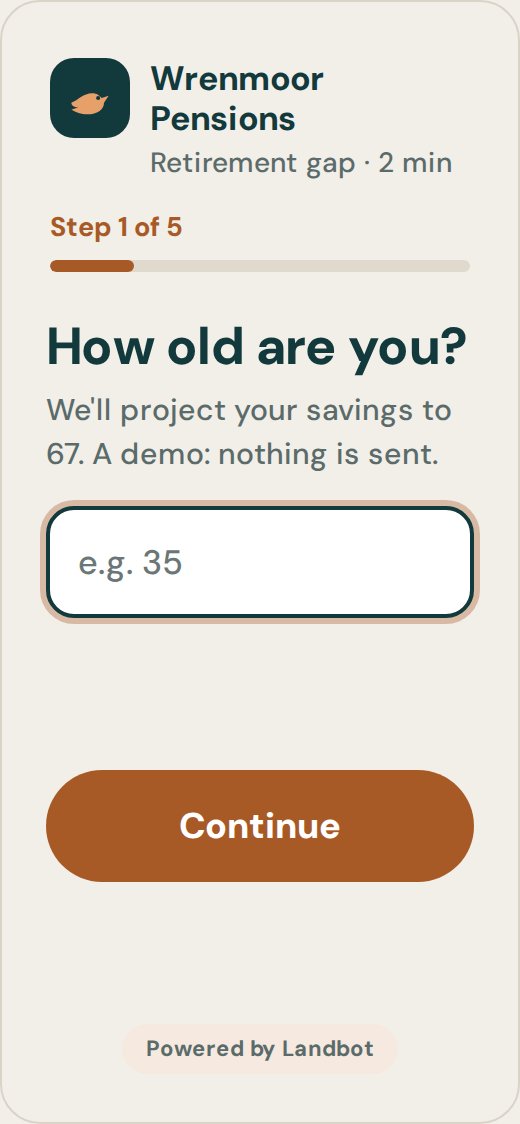
Proyecta los ingresos de jubilación frente al objetivo y sugiere un ahorro mensual.
Simulador de brecha de jubilación es una plantilla gratuita de agente de IA de Landbot para equipos de ventas del sector servicios financieros. Proyecta los ingresos de jubilación frente al objetivo y sugiere un ahorro mensual. El agente pregunta edad y ahorros, pregunta el objetivo, proyecta los ingresos y muestra la brecha. Más ahorradores que empiezan un plan mensual.
Web
Inglés
Servicios financieros
W
Wrenmoor Pensions
onlineObjetivo principal
Mostrar la brecha de jubilación y un plan para cerrarla
Lo que ganas
Más ahorradores que empiezan un plan mensual
Agente de conversión vs. formulario estático
Una calculadora de pensiones es compleja. El agente proyecta los ingresos y sugiere un ahorro mensual
¿Cómo funciona este agente?
Cada paso es un flujo visible de Landbot que puedes abrir y editar en el builder.
- Una pregunta por mensaje
- La brecha en cifras claras
- Estimación, no asesoramiento financiero
- Siguiente paso: hablar con un asesor
Pregunta edad y ahorros
Edad y ahorro para la jubilación actual.
Pregunta el objetivo
Ingresos deseados en la jubilación.
Proyecta los ingresos
Ingresos previstos frente al objetivo.
Muestra la brecha
Lo que falta.
Sugiere un ahorro
Un ahorro mensual para cerrarla.
Este agente, con tu marca, con un solo prompt
Pega el prompt en Claude, ChatGPT, Claude Code o Codex. Tu IA se conecta a Landbot, crea el agente en tu cuenta y te envía un enlace para probarlo y otro para editarlo.
- 1Copia el prompt. Incluye los pasos para conectar Landbot si tu IA aún no está conectada.
- 2Pégalo en un chat nuevo. Claude, ChatGPT, Claude Code o Codex.
- 3Prueba tu agente. Tu IA lo publica y te guía para probarlo en tu móvil con el número de prueba de WhatsApp de Landbot.Tu IA lo publica y te envía un enlace para probarlo en el navegador y otro para editarlo en Landbot.
Simulador de brecha de jubilación
Use the Landbot MCP tools to build my own version of the "Retirement gap simulator" experience from the Landbot Experience Library, for [your company] ([your website, or "no website"]): Projects retirement income against the target and suggests a monthly saving. I need it for: starting pension and savings conversations by showing people the gap between their projected retirement income and the income they want. Live example (invented brand: Wrenmoor Pensions): https://landbot.pro/v3/H-3530836-PD8MGIGHHMD862ZW/index.html . Open it and go through it before you build. I want that kind of experience, with its layout and the way a visitor moves through it, not a plain chat with bubbles and buttons. Its look and behaviour come from the bot's Custom CSS and Custom JS, and I'm asking you for both. You can read them in its setup at https://storage.googleapis.com/landbot.pro/v3/H-3530836-PD8MGIGHHMD862ZW/index.json ("style" is the CSS, "foot" is the script). They were written together for that flow: start from both, keep them in step with the flow you build, and check on the published link that it looks and works like the example. Don't keep the example's brand name, texts or data. Where the example and my description above differ, follow the description. Decide whether an AI agent makes this better for my visitors: if it does, put Landbot's AI Agent block at its heart and give it what it needs to answer well (knowledge, clear instructions and limits); if not, keep it a guided flow. Either way, make sure every answer leaves the visitor a next step. Use what you already know about me and my business to make it relevant and tailored to us. Use my business name as the header title and browser tab title. If I have a website, take my colours, font and square icon (as the bot avatar) from it; if not, pick colours and a font that suit us. Make sure every text, including button labels, is easy to read (contrast at least 4.5:1). Make sure every step leaves the visitor a next step. When a visitor leaves their contact details, email me at [your email] with what they shared. I'll test it and change it after. If something needs a Landbot plan or add-on I may not have, leave it out, give visitors a simple way to contact me in its place, and tell me what you left out. During this build, create a new bot and never change a bot you didn't create in this conversation. When you hand it back, tell me the bot's ID and confirm it is new. When it's ready, publish it and send me two links: one to try it in my browser and one to edit it in Landbot.
Configuramos los agentes de voz contigo
Los números de teléfono, el enrutamiento de llamadas y la voz necesitan una breve llamada de configuración. Resérvala y crearemos este agente con tu equipo.
Reserva una llamada →Con Landbot puedes personalizarlo todo
Copia el prompt. Tu asistente de IA crea el agente en Landbot
Generar leads
Ver todas

Preguntas frecuentes
¿Qué hace la plantilla Simulador de brecha de jubilación y para quién es?
Proyecta los ingresos de jubilación frente al objetivo y sugiere un ahorro mensual. Está pensada para equipos de ventas del sector servicios financieros cuyo objetivo es mostrar la brecha de jubilación y un plan para cerrarla. El agente que ves arriba es el real: pruébalo antes de registrarte.
¿Cómo funciona la conversación, paso a paso?
El visitante pasa por 5 pasos: pregunta edad y ahorros, pregunta el objetivo, proyecta los ingresos, muestra la brecha, sugiere un ahorro. Durante la conversación el agente sigue unas reglas fijas, por ejemplo: una pregunta por mensaje. Cada paso es un bloque visible en el canvas de Landbot, así que puedes cambiar preguntas, lógica y textos sin código.
¿Qué resultados puedo esperar de este agente?
Más ahorradores que empiezan un plan mensual. Funciona 24/7, en el momento de máxima intención, y cada respuesta llega a tu CRM como un registro completo en lugar de un formulario a medias.
¿Por qué usar un agente de conversión en lugar de un formulario estático?
Una calculadora de pensiones es compleja. El agente proyecta los ingresos y sugiere un ahorro mensual. Si quieres comprobarlo con tus propios datos, pon el agente en una página, haz un test A/B contra tu formulario actual durante dos semanas y compara los leads cualificados en tu CRM.
¿Dónde puedo publicarlo: web, WhatsApp o ambos?
En tu web como widget de chat, insertado en una página o como agente a página completa, y en WhatsApp con WhatsApp Pro. El flujo que creas funciona igual en todos los canales, así que lo diseñas una sola vez.
¿Con qué CRM y herramientas se conecta?
Con HubSpot de forma nativa, y con Salesforce, Google Sheets y cualquier otra herramienta mediante webhooks, la API, Zapier o Make. También funciona con Slack y Calendly, así que el agente puede avisar a tu equipo y reservar la reunión en la misma conversación.
¿Puedo crearlo con Claude, ChatGPT u otro asistente de IA?
Sí. Conecta el MCP de Landbot a Claude, Claude Code, ChatGPT, Codex, Cursor o cualquier asistente con MCP, inicia sesión en Landbot una vez y pega el prompt de esta plantilla. Tu asistente crea el agente en tu cuenta con tu marca, y nada se publica hasta que tú lo decidas.
¿Cuánto cuesta y hay prueba gratuita?
Landbot empieza en 40 €/mes (Starter: 500 chats, 100 chats con IA, 2 usuarios) y 100 €/mes en Pro, con HubSpot, webhooks y lead scoring. Los chats con IA están incluidos en todos los planes de pago. Todos los planes de pago empiezan con una prueba gratuita de 14 días sin tarjeta, suficiente para probar esta plantilla en una página real.
¿Necesito un desarrollador para lanzarlo?
No. La plantilla es un flujo no-code en un canvas visual: pon tu marca, conecta tu CRM y publica.
Accede a 55+ plantillas de agentes de IA
Empieza gratisPlan gratuito disponible · Sin tarjeta de crédito · Listo en minutosagentes de conversión con Landbot
Más categorías
{"@context":"https://schema.org","@graph":[{"@type":"WebPage","@id":"https://landbot.io/es/plantillas-agentes-ia/retirement-gap-simulator","url":"https://landbot.io/es/plantillas-agentes-ia/retirement-gap-simulator","name":"Simulador de brecha de jubilación","description":"Simulador de brecha de jubilación es una plantilla gratuita de agente de IA de Landbot para equipos de ventas del sector servicios financieros. Proyecta los ingresos de jubilación frente al objetivo y sugiere un ahorro mensual. El agente pregunta edad y ahorros, pregunta el objetivo, proyecta los ingresos y muestra la brecha. Más ahorradores que empiezan un plan mensual.","isPartOf":{"@type":"WebSite","name":"Landbot","url":"https://landbot.io"},"breadcrumb":{"@id":"https://landbot.io/es/plantillas-agentes-ia/retirement-gap-simulator#breadcrumb"}},{"@type":"BreadcrumbList","@id":"https://landbot.io/es/plantillas-agentes-ia/retirement-gap-simulator#breadcrumb","itemListElement":[{"@type":"ListItem","position":1,"name":"Inicio","item":"https://landbot.io/"},{"@type":"ListItem","position":2,"name":"Plantillas de agentes de IA","item":"https://landbot.io/es/plantillas-agentes-ia"},{"@type":"ListItem","position":3,"name":"Generar leads","item":"https://landbot.io/es/plantillas-agentes-ia?useCase=Generate%20leads"},{"@type":"ListItem","position":4,"name":"Simulador de brecha de jubilación","item":"https://landbot.io/es/plantillas-agentes-ia/retirement-gap-simulator"}]},{"@type":"HowTo","@id":"https://landbot.io/es/plantillas-agentes-ia/retirement-gap-simulator#howto","name":"Cómo funciona el agente Simulador de brecha de jubilación","step":[{"@type":"HowToStep","position":1,"name":"Pregunta edad y ahorros","text":"Edad y ahorro para la jubilación actual."},{"@type":"HowToStep","position":2,"name":"Pregunta el objetivo","text":"Ingresos deseados en la jubilación."},{"@type":"HowToStep","position":3,"name":"Proyecta los ingresos","text":"Ingresos previstos frente al objetivo."},{"@type":"HowToStep","position":4,"name":"Muestra la brecha","text":"Lo que falta."},{"@type":"HowToStep","position":5,"name":"Sugiere un ahorro","text":"Un ahorro mensual para cerrarla."}]}]}